Duration – 14 Weeks (ongoing)
Collaborated with Victor Ding
Date – Fall 2025/Spring 2026
Challenge
Approach
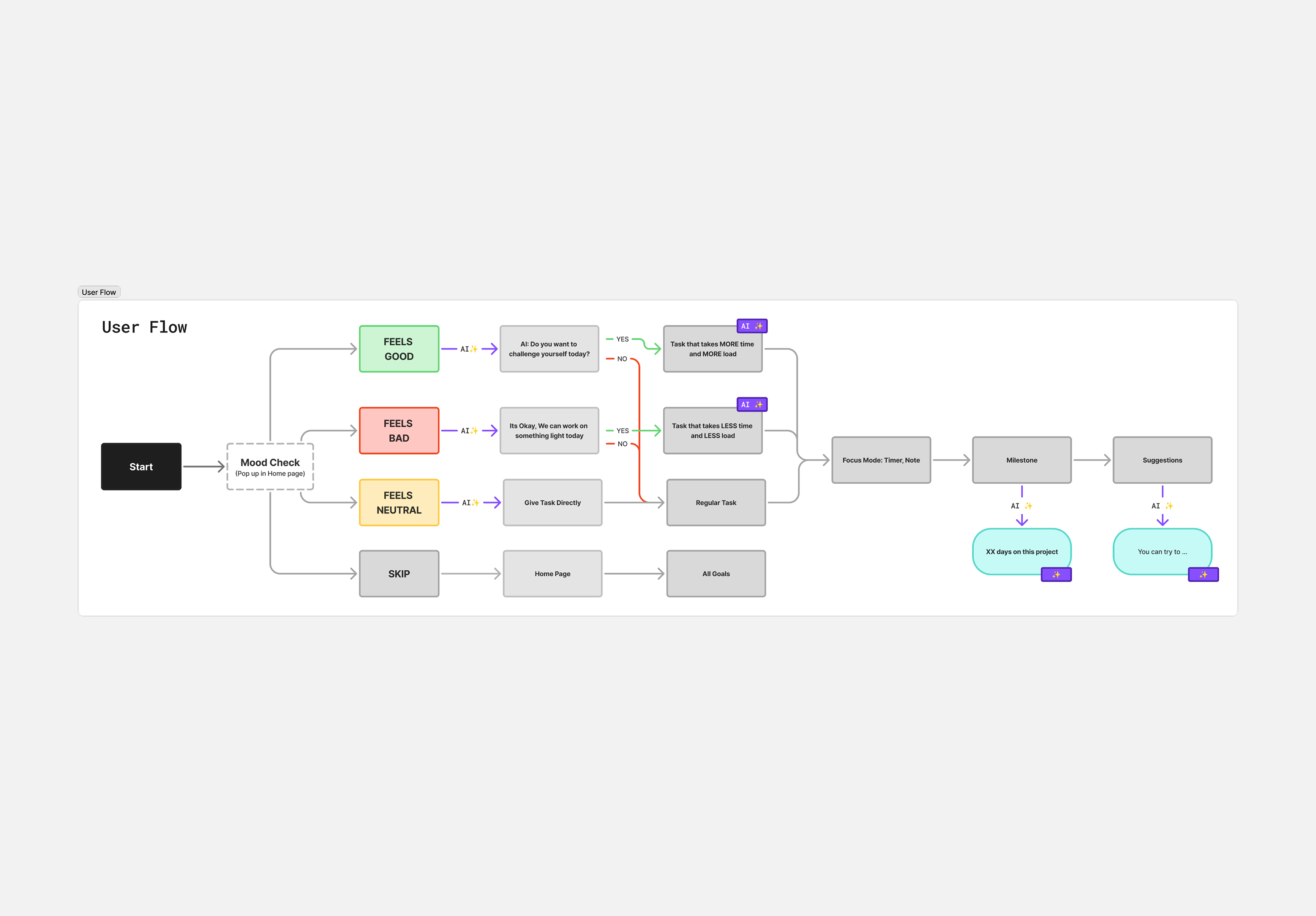
Mapping the full flow, from capacity check to focused session to proof to recap, and marked every spot where AI acts. We defined inputs the agent reads: progress checks, completion frequency, and mood. We defined decisions the agent returns: encouragement style, session length, and cadence updates tied to a long-term goal. The UI stays simple and non-chat while the LLM runs in the background.
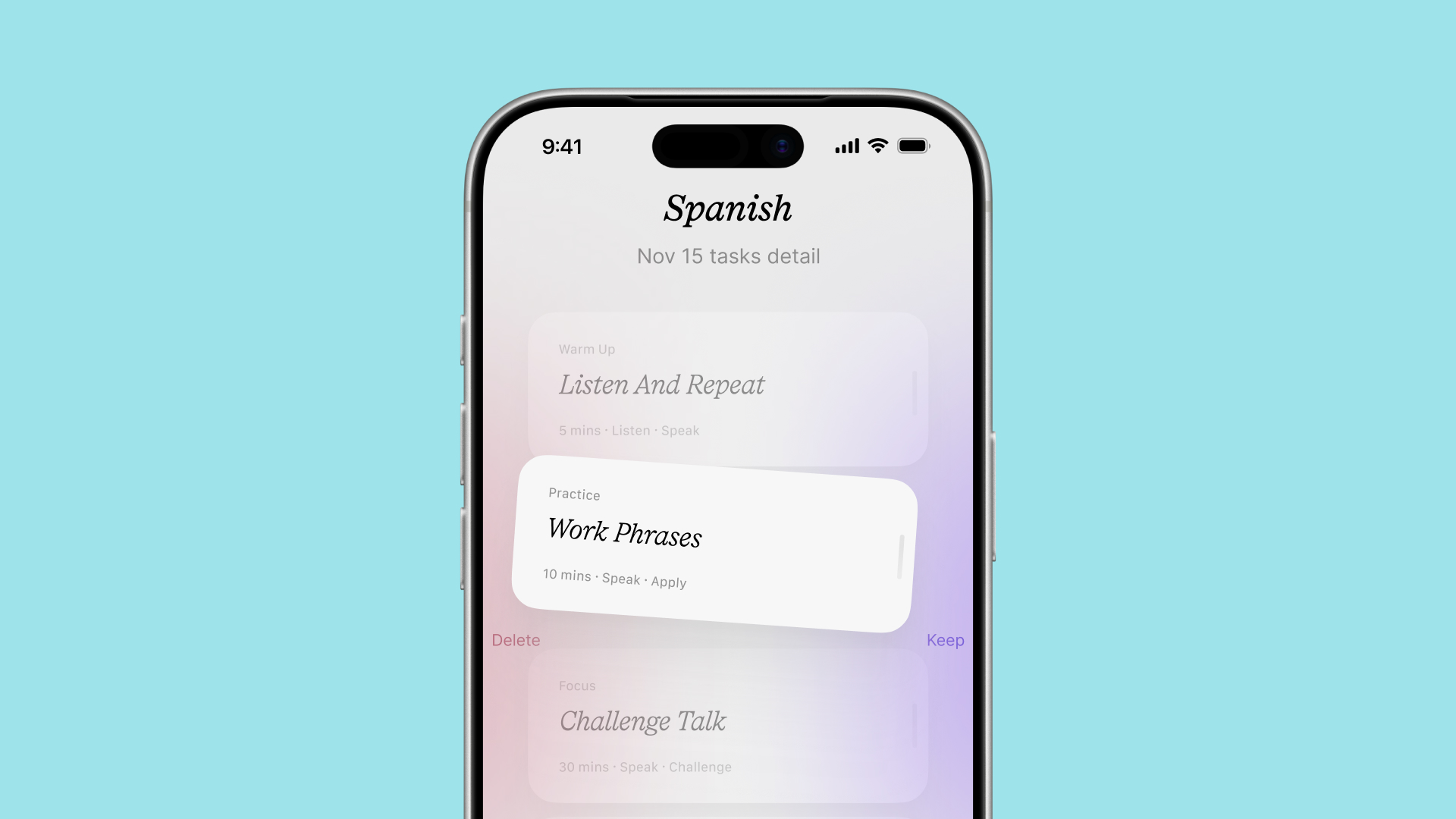
Features
Home Page
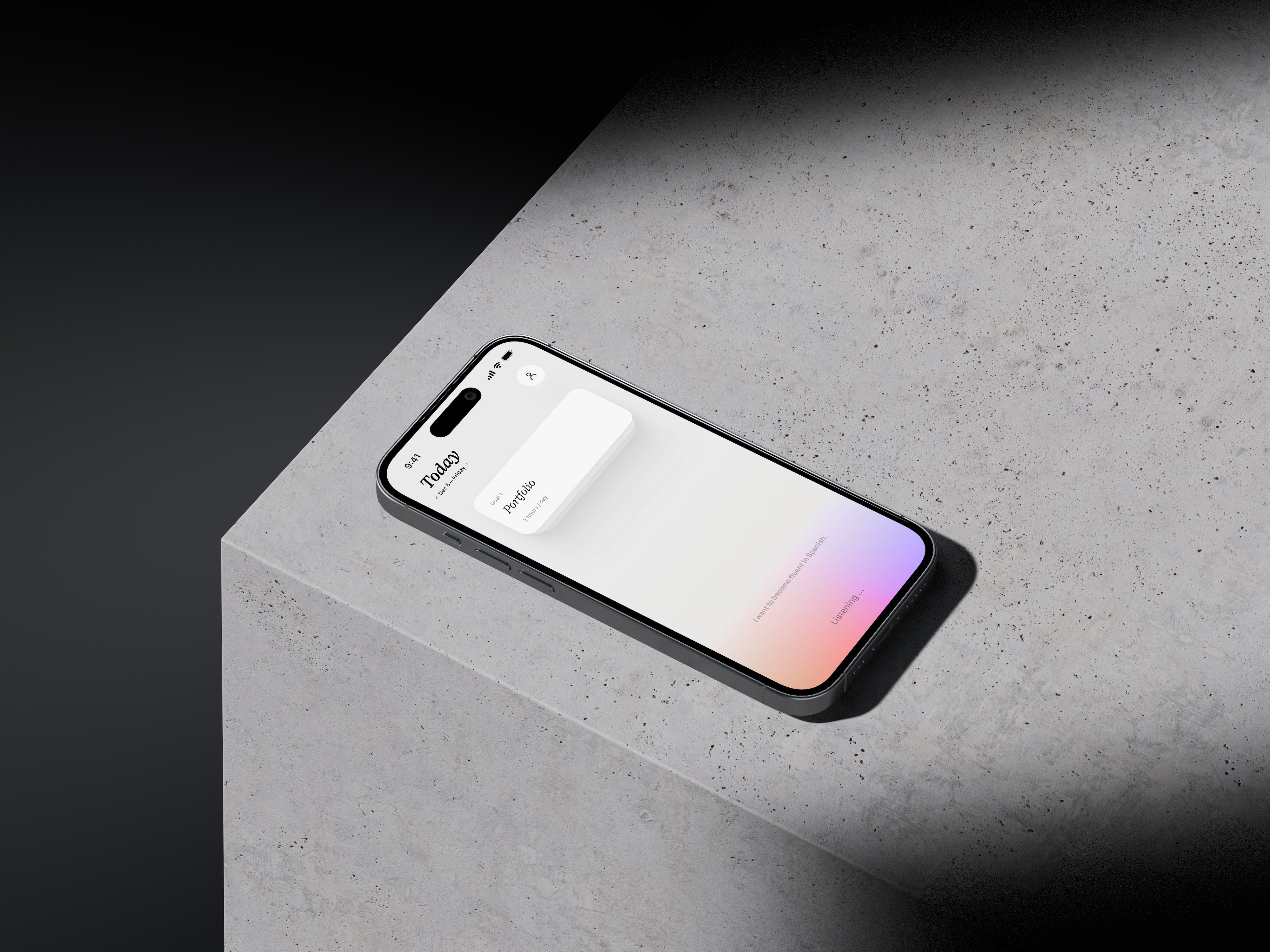
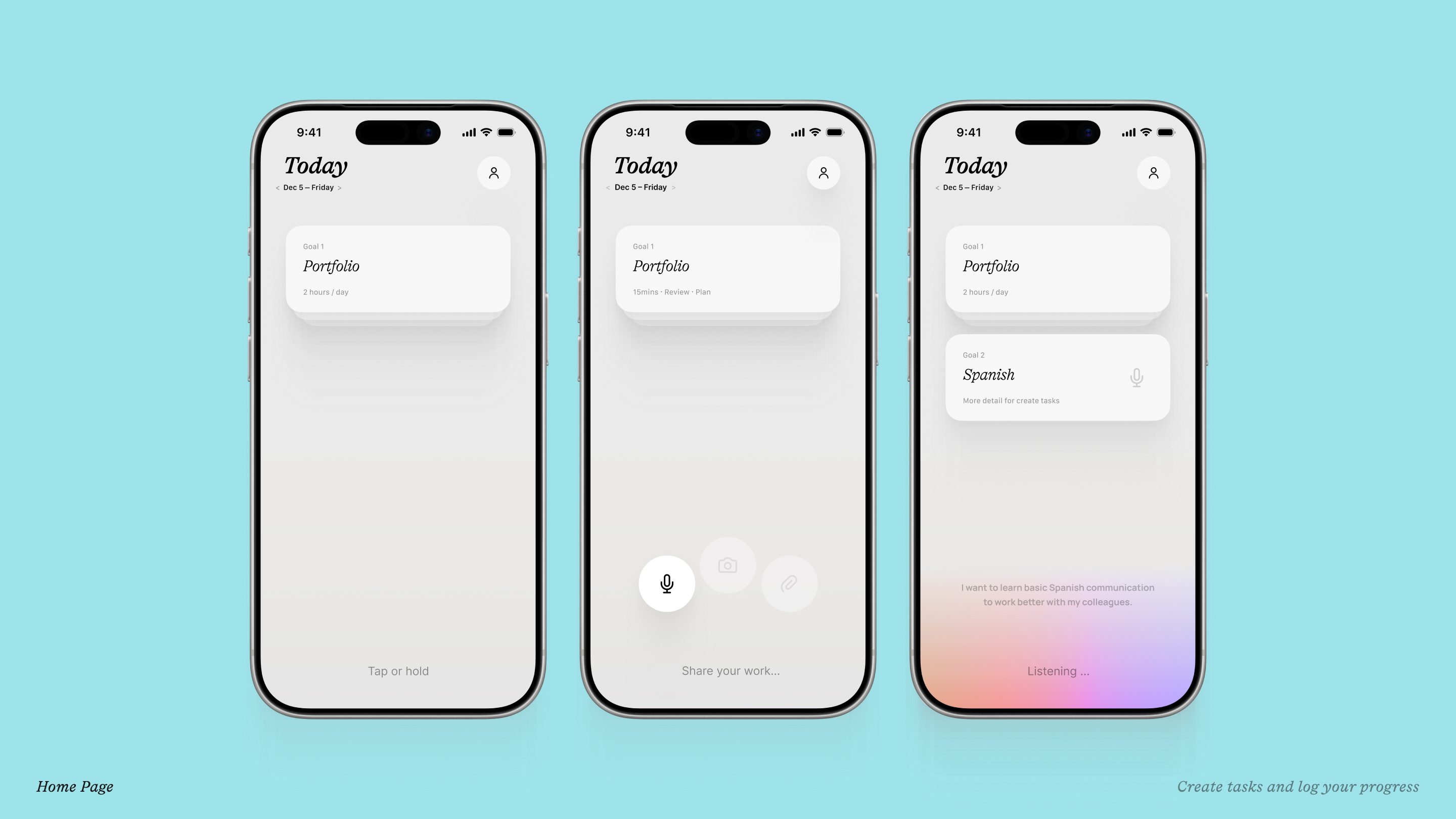
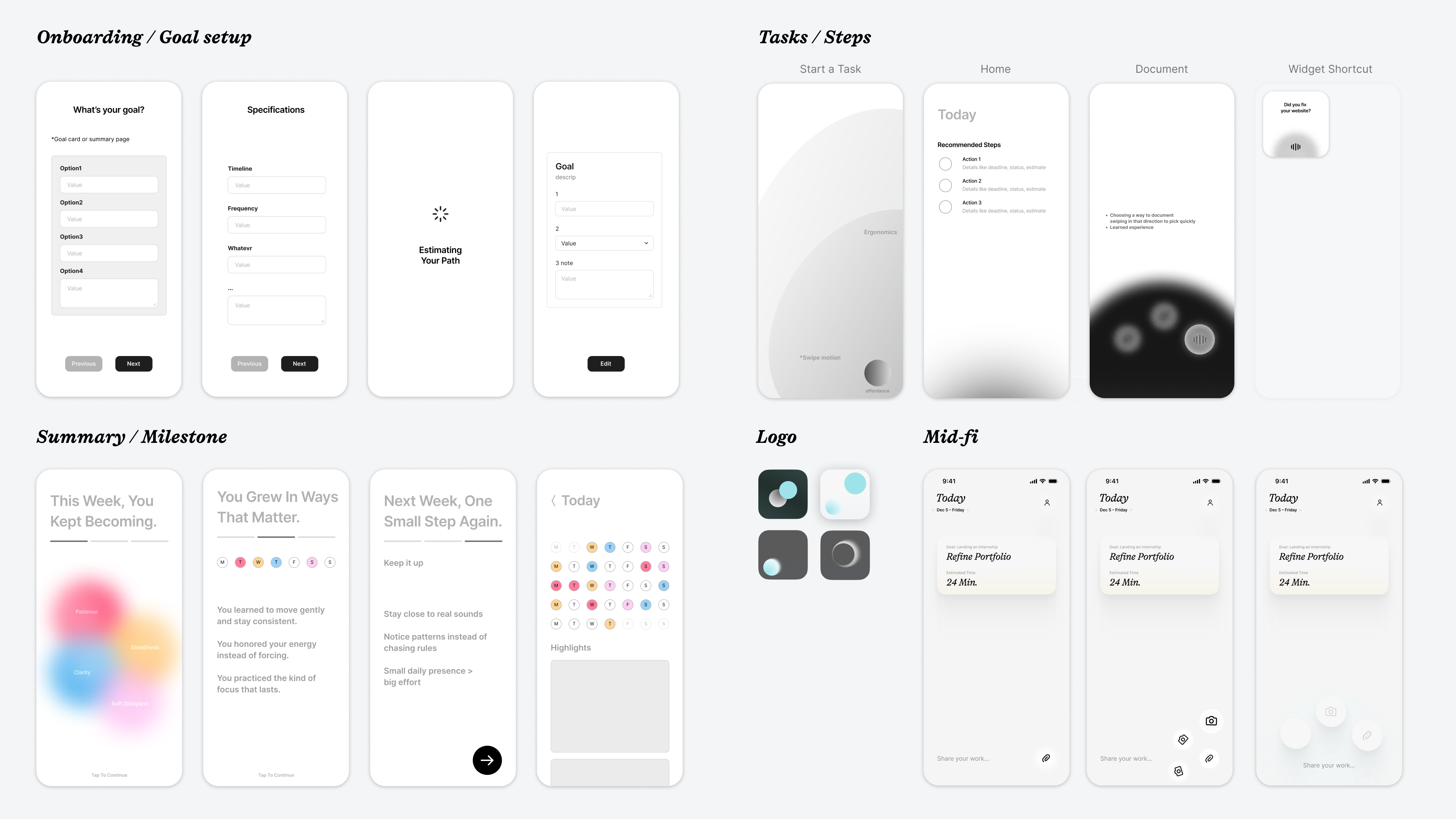
All you see is your current milestones as stacked cards and two areas you can interact with. The bottom area while tap & holding pops up three circles(that's the affordance) wich give you three options. Take a photo of something you did, voice chat anything or attach a photo of a task u completed.
Onboarding
Daily Mood Check
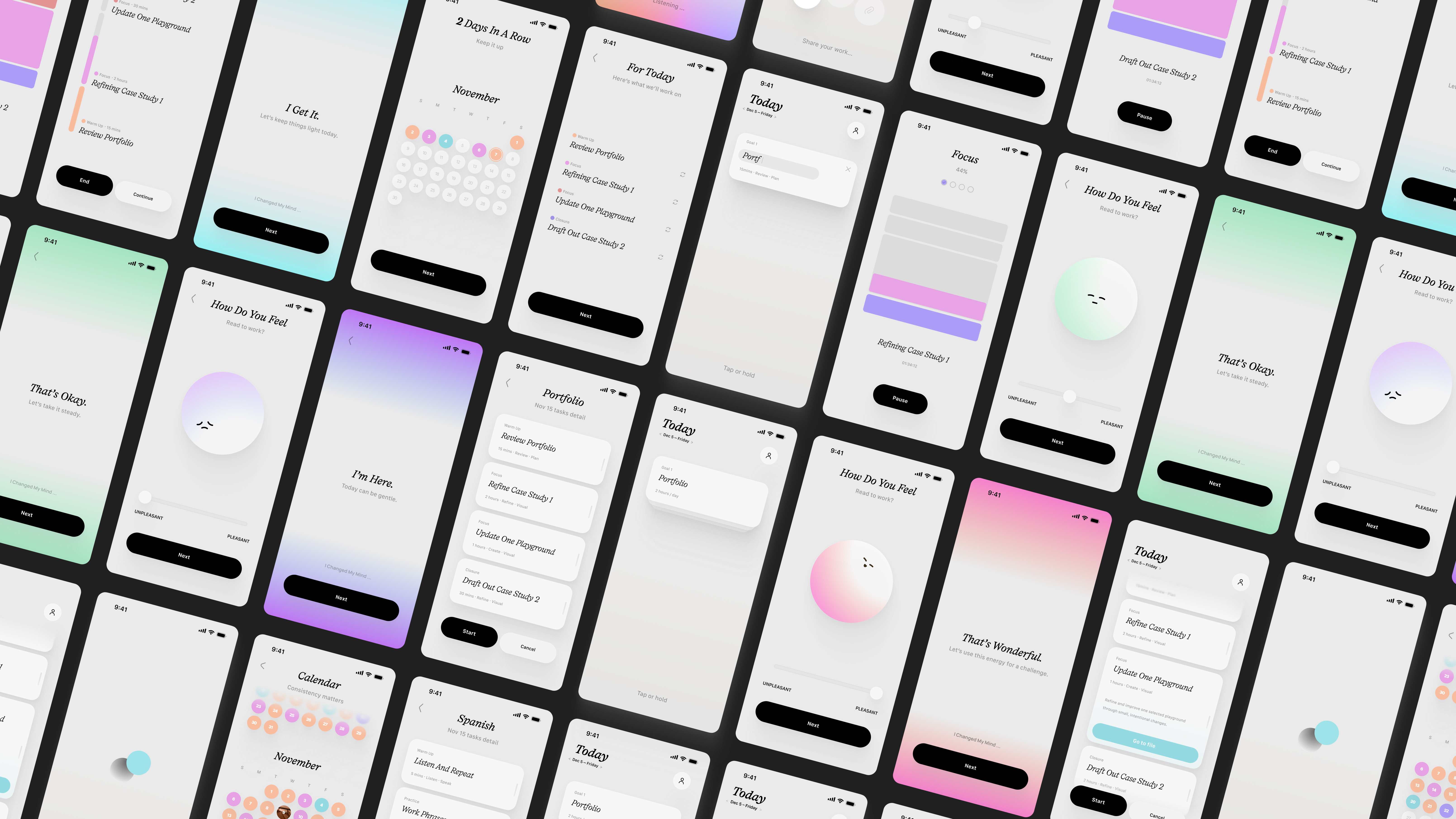
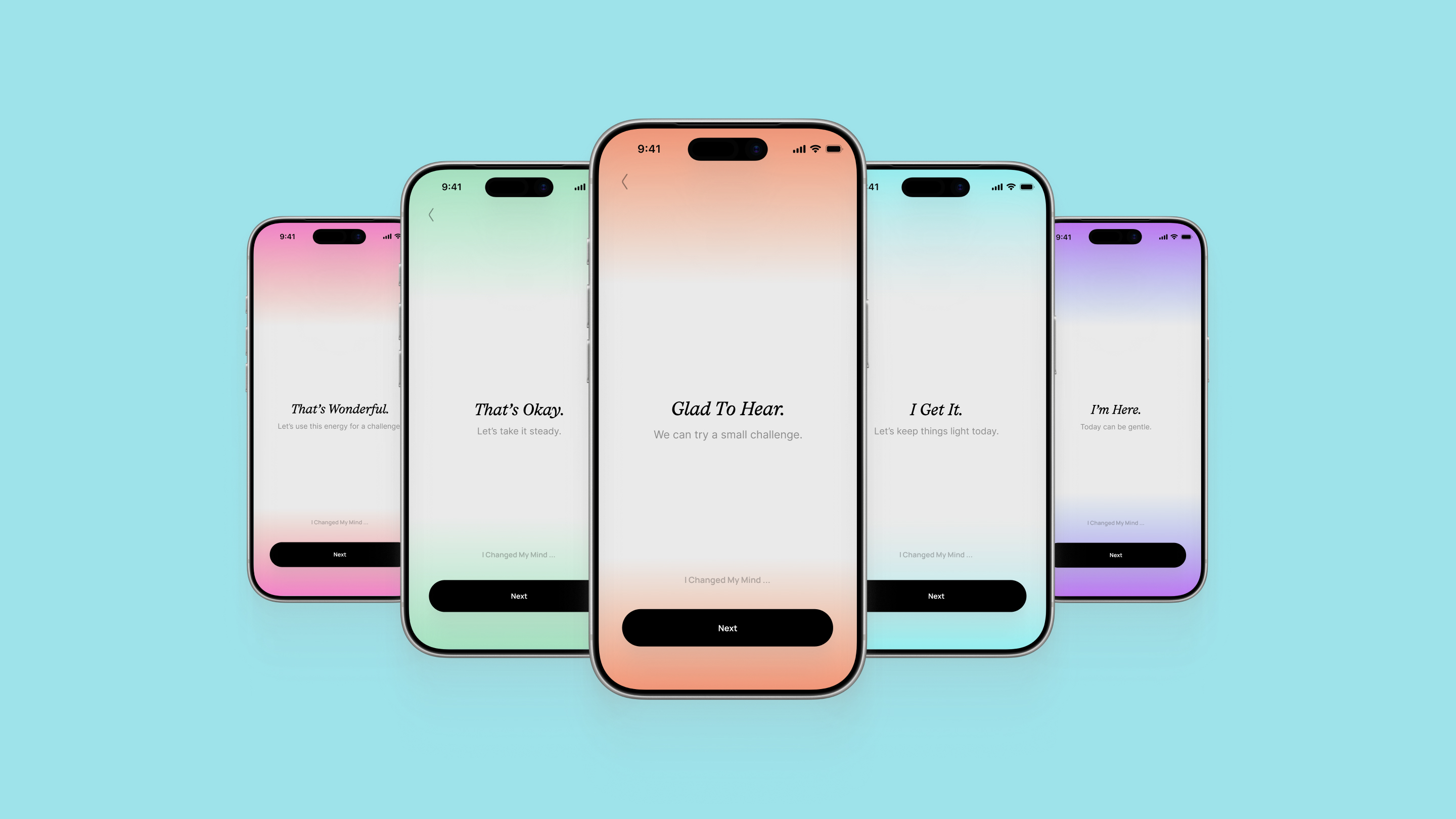
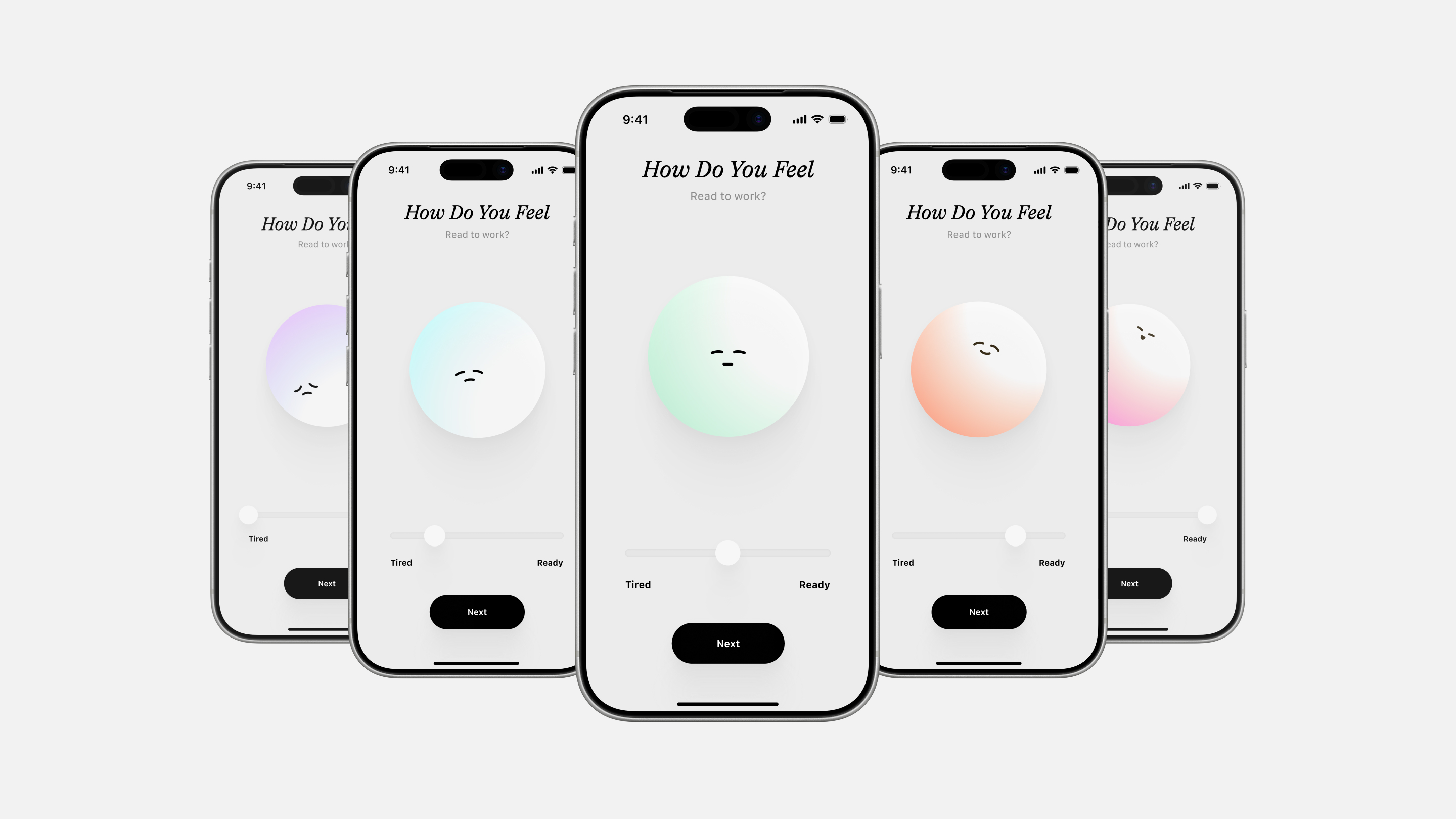
On open you pick Low, Medium, or High. That choice sets today’s session length and adjusts milestones. The AI agent that's connected would do the analysing in the background based on your habits, goal, time management and inputs to give you the most realistic milestone of the day.
Focus Mode
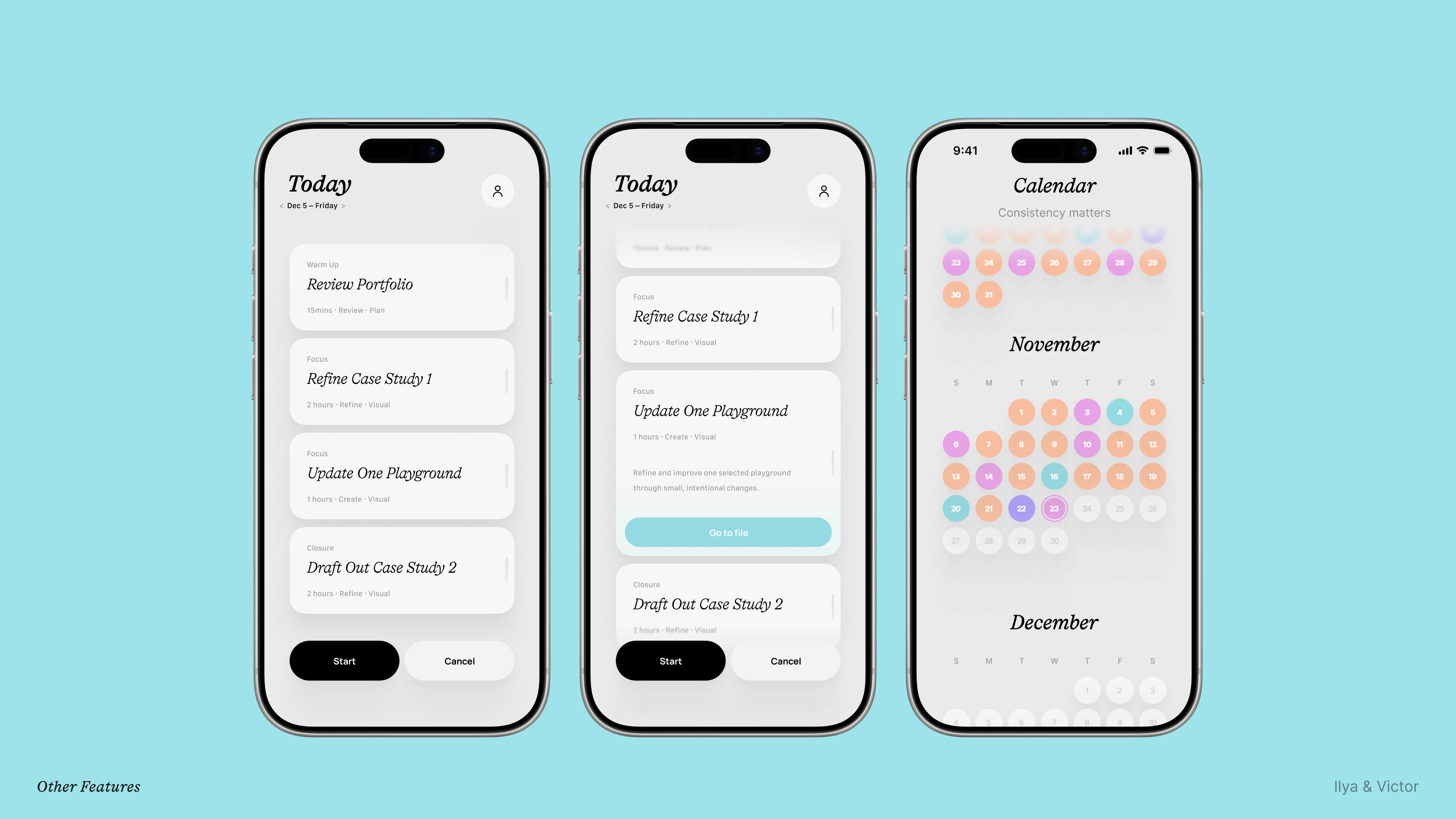
A clean progress bar that shows your milestones of the day that also acts as a timer.
Calendar
The upper area that hase the date pulls up a calendar on tap that will also have your daily progress and mood showcased in colors.
Design System
Visual Language research is part of the case study which will be available on request.
Research
Target User Segment
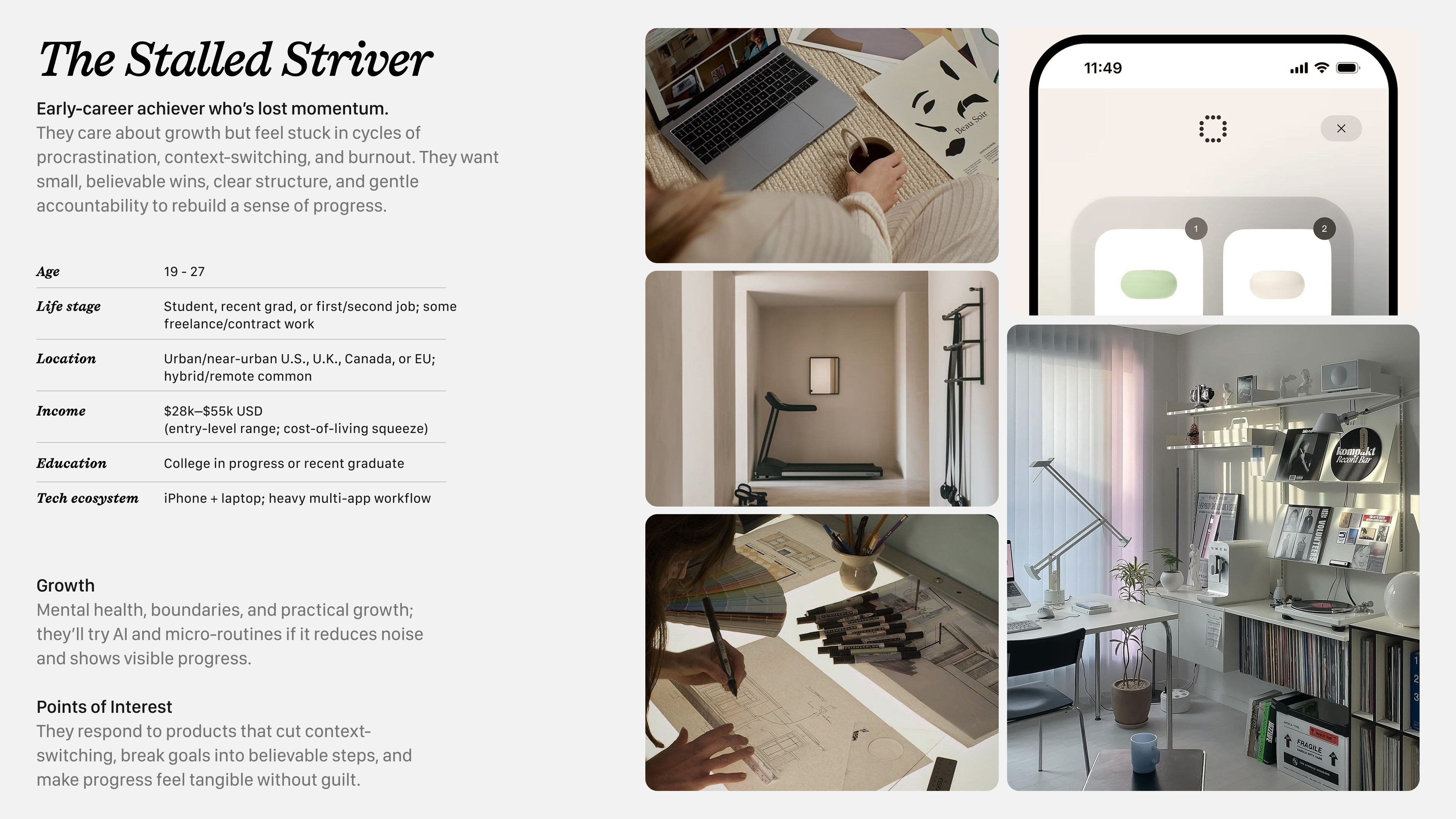
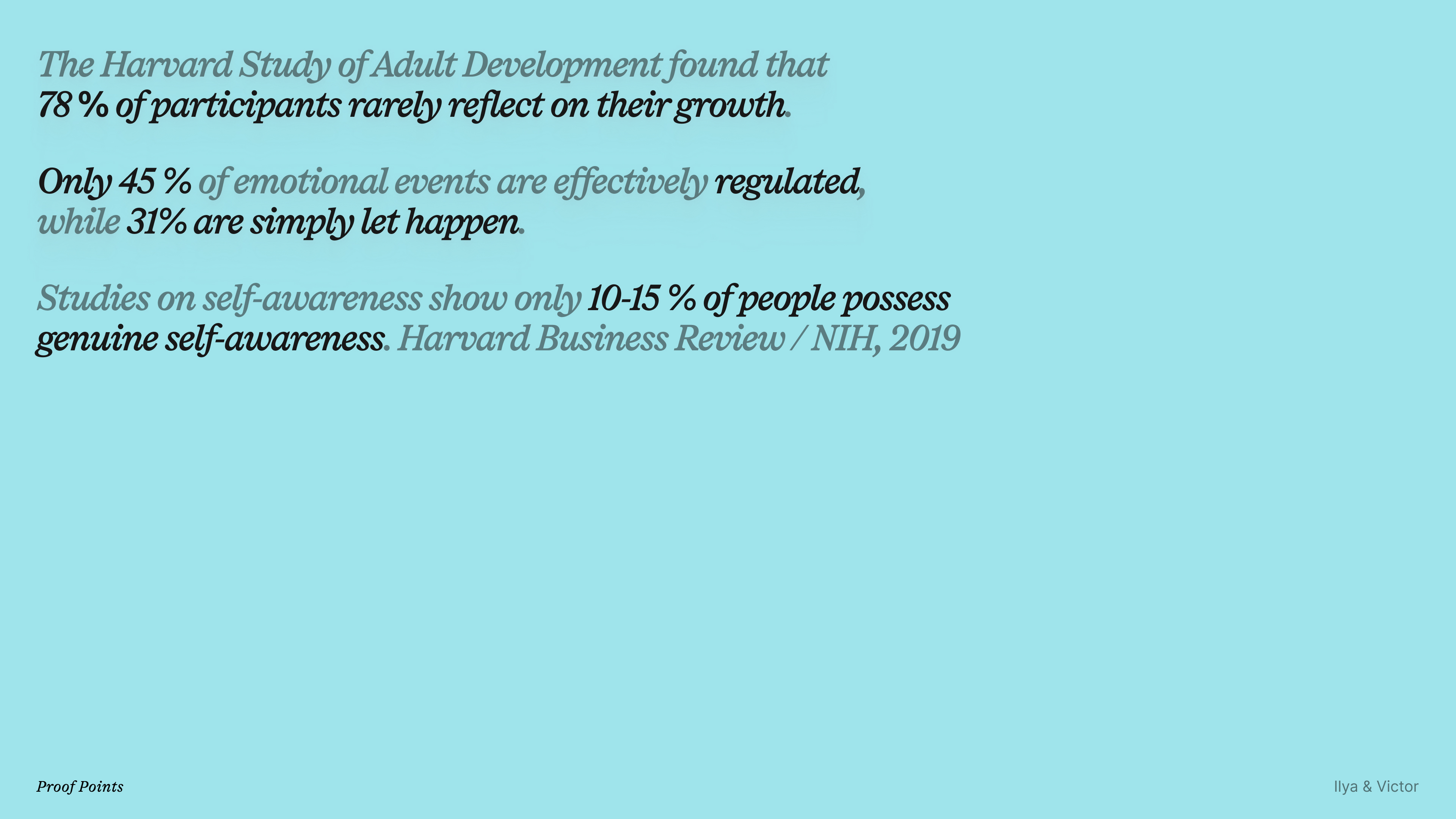
Full case study with more proof points and backing data available on request!
Process & Iteration
Trend Research
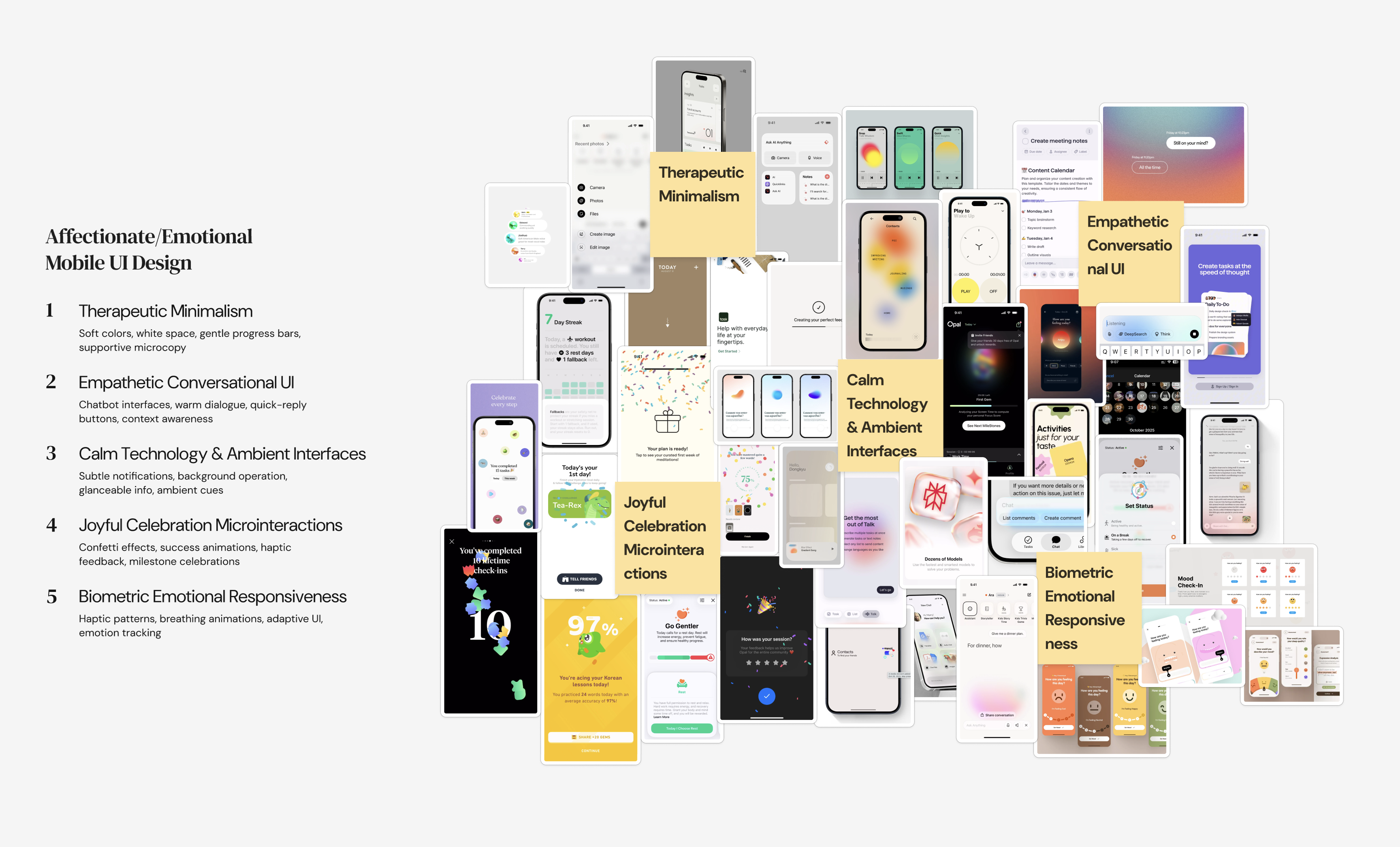
Mobile UI "macro" and "micro" trends. Assembled a trend image cloud which later contributed heavily to the Visual Language development.
Feedback & Reverse Engineering
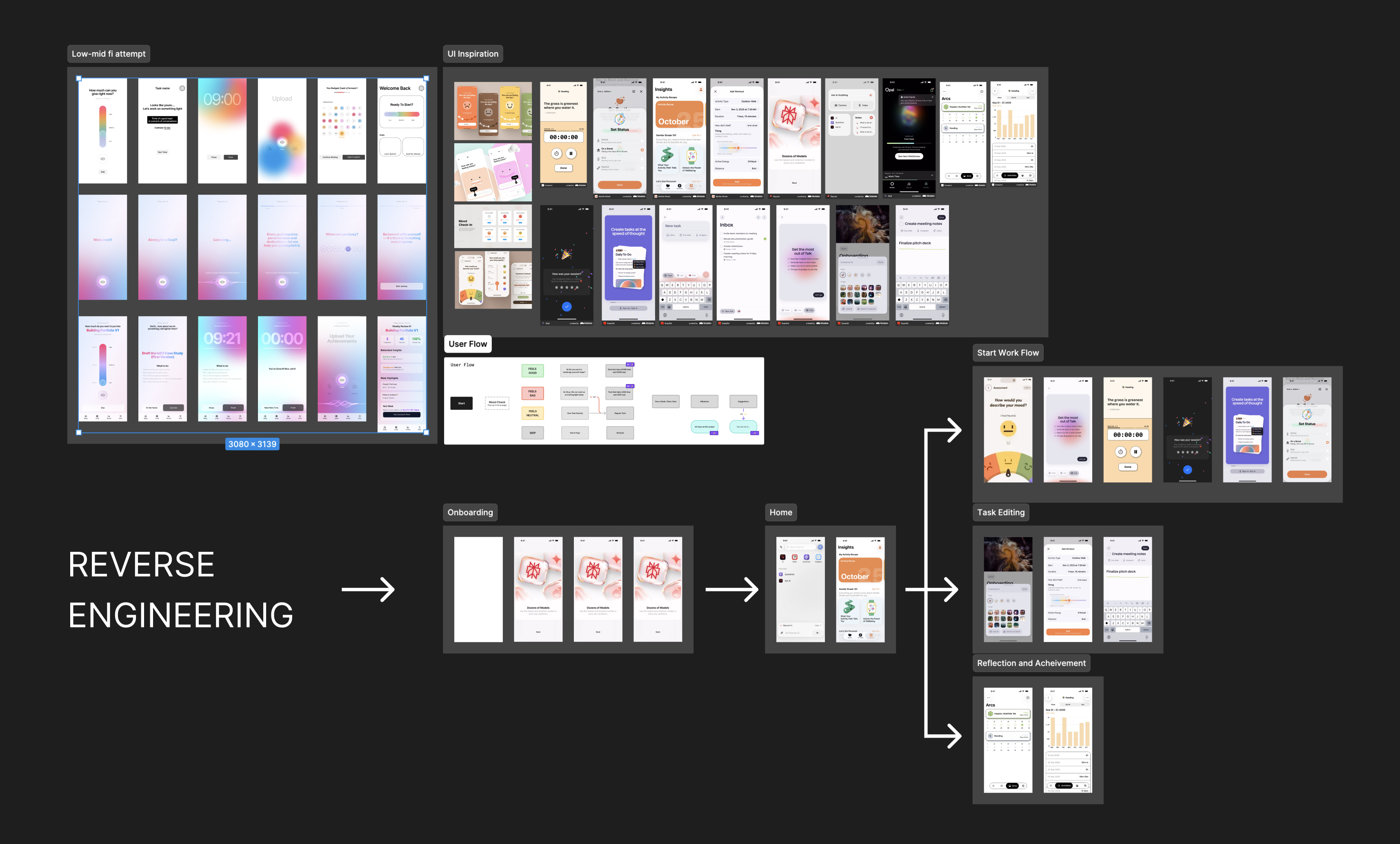
Since this was part of a class assignment we kept getting some feedback and reiterating as we go, the main method/process was gathering a lot of examples of already existing elements that live in other apps which we could use to visually show the user flow and get a grasp of what the final product would roughly look like in terms of UX.
Currently working on a prototype using SwiftUI + Cursor to vibe code.
Conclusion
- This project is currently still ongoing as I'm now working on making the app experience with SwiftUI + Cursor. A little sneak peak of that progress is shown above. Will update soon!
Learning Outcome
- This was the first time I've worked on a product that was focused on integrating AI in is as a core feature. Also the project gave me an opportunity to really have fun with the prototyping process and Visuals which I really like doing, without sacrificing the Research part of the design process.